

- Rated 4.9/5 by 9,739+ students
Cisco SD-WAN Training ENSDWI 300-415 Certification
Build hands-on vManage, vSmart, vBond & vEdge/cEdge skills in just 50 hours through real SD-WAN overlay/underlay labs, expert-led training, and placement assistance — and get exam-ready for Cisco’s 300-415 ENSDWI (Implementing Cisco Catalyst SD-WAN Solutions) certification.
- 9,739+ Students Trained
- Placement Assistance
- 24×7 Online Lab Access
- CCIE-Certified Trainers
- Upcoming Batch Filling Fast • Free Demo Sessions Available • Limited Seats
Our 11,210+ alumni work at top networking companies


- Why Cisco SD-WAN (ENSDWI)?
Enterprise Networking Is Shifting to Software-Defined WAN
Modern enterprises are migrating from legacy MPLS-based WAN to Cisco SD-WAN for cost savings, better SaaS performance, and centralized policy control. The Cisco SD-WAN (300-415 ENSDWI) certification helps you build in-demand skills in vManage, vSmart, vEdge/cEdge deployment, and Cisco SD-WAN security for careers in enterprise networking, cloud networking, and network security.
12,000+
SD-WAN Engineer Job Openings Across India
₹10–18 LPA
Typical Starting Salary for SD-WAN Certified Engineers
3× Career Growth
Advance into Network Architect & SD-WAN Ops Manager roles.
95%
Placement Success Rate Among I-Medita SD-WAN Training Students
Not Sure if Cisco SD-WAN Is Right for You?
Join a FREE live demo to explore the course, experience hands-on vManage/vEdge labs, and get your questions answered.
- COURSE CURRICULUM
What You'll Learn in Our Cisco SD-WAN (ENSDWI) Training Program
Aligned with the Cisco SD-WAN (300-415 ENSDWI) exam blueprint. Master SD-WAN architecture, controller deployment, router deployment, policies, security, and Day-2 operations through hands-on labs and real-world enterprise SD-WAN scenarios.
SD-WAN Architecture
Understand orchestration, management, control, and data planes — vBond, vManage, vSmart, and vEdge/cEdge.
Controller Deployment
Deploy vManage, vSmart, and vBond controllers on cloud and on-premises with certificates and scalability.
WAN Edge Router Deployment
Onboard WAN Edge devices using Zero-Touch Provisioning (ZTP) and configure SD-WAN data plane connectivity.
Routing in SD-WAN
Configure and verify OSPF, BGP, EIGRP, and Static routing across transport-side and service-side VPNs.
Control & Data Policies
Build control policies for topology and traffic engineering, and data policies for QoS and application routing.
Application-Aware Routing
Implement AAR policies to optimize real-time and business-critical application performance.
Direct Internet Access & Cloud OnRamp
Configure DIA breakout and Cisco SD-WAN Cloud OnRamp for SaaS and IaaS connectivity.
SD-WAN Security
Implement application-aware firewall, IPS, URL filtering, AMP, and SSL/TLS proxy for enterprise security.
Cloud Security Integration
Configure DNS security and Secure Internet Gateway (SIG) for cloud-delivered protection.
Quality of Service (QoS)
Apply scheduling, queuing, shaping, policing, marking, and per-tunnel adaptive QoS on WAN Edge routers.
Management & Operations
Monitor and manage SD-WAN fabric using vManage GUI, REST APIs, syslog, and software upgrades.
Real-World SD-WAN Labs
Build enterprise-grade SD-WAN deployments across 51 hands-on labs using vManage, vSmart, vBond, and vEdge/cEdge devices.
- Your Cisco SD-WAN Learning Roadmap
Your Step-by-Step SD-WAN Learning Journey
Learn, practice, and validate your skills through a 5-stage framework designed around real-world enterprise SD-WAN deployment.
- Ready to start?
Book Your Free Cisco SD-WAN Demo Class This Week
Experience our live Cisco SD-WAN training, hands-on vManage/vEdge labs, and learning platform before you enroll. Explore SD-WAN architecture, controller deployment, and enterprise security with guidance from CCIE-certified trainers.
- FULL COURSE SYLLABUS
6 Modules • 50+ Hours • Aligned with the Cisco SD-WAN (300-415 ENSDWI) Exam Blueprint
Master the Cisco SD-WAN curriculum through 6 comprehensive modules covering architecture, controller deployment, router deployment, policies, security, and hands-on Day-2 operations labs.
Module 1: SD-WAN Architecture
- Orchestration plane (vBond, NAT)
- Management plane (vManage)
- Control plane (vSmart, OMP)
- Data plane (vEdge) — TLOC, IPsec, vRoute, BFD
- WAN edge platform types & capabilities (vEdges, cEdges)
- Cisco SD-WAN Cloud OnRamp (SaaS, IaaS, Colocation)
Module 2: Controller Deployment
- Controller cloud deployment
- Controller on-premises deployment (KVM/Hypervisor)
- Installing controllers — scalability & redundancy
- Configuring certificates & device lists
- Troubleshooting control-plane connectivity
Module 3: Router Deployment
- WAN edge on-boarding & Zero-Touch Provisioning (ZTP)
- Data Center and regional hub deployments
- SD-WAN data plane — TLOC-extension, dynamic tunnels
- Configuring and verifying OMP & TLOCs
- CLI & vManage feature templates (VRRP, OSPF, BGP, EIGRP)
Module 4: Policies
- Control policies & data policies
- End-to-end segmentation (VPN segmentation, topologies)
- SD-WAN application-aware routing (AAR)
- Direct Internet Access (DIA) configuration
Module 5: Security & Quality of Service
- Service insertion & firewall chaining
- Application-aware firewall, IPS, URL filtering, AMP
- SSL/TLS proxy & cloud security integration (DNS, SIG)
- QoS — scheduling, queuing, shaping, policing, marking, adaptive QoS
Module 6: Management, Operations & Hands-on Labs
- Authentication, monitoring & reporting from vManage
- REST API monitoring & software image management
- 51 hands-on labs across overlay/underlay, routing, policies & security
- Cisco 300-415 ENSDWI exam guidance
- Placement assistance
- Cisco SD-WAN (300-415 ENSDWI) Course Overview
Cisco SD-WAN (Catalyst SD-WAN) Training
CCNP Enterprise ENSDWI Certification Course
Cisco SD-WAN training teaches you to design, deploy, configure, secure, and troubleshoot Cisco’s Software-Defined WAN solution, the technology Cisco originally built on its Viptela acquisition and now markets as Cisco Catalyst SD-WAN. I-Medita’s course combines architecture concepts, live configuration walkthroughs, and hands-on lab practice on vManage, vSmart, vBond, and vEdge/cEdge components, and prepares you for the 300-415 ENSDWI (Implementing Cisco Catalyst SD-WAN Solutions) exam, a concentration exam for the CCNP Enterprise certification.
What Is Cisco SD-WAN Training?
Cisco SD-WAN training is a hands-on technical course that teaches network engineers how to design, deploy, and operate Cisco’s Catalyst SD-WAN solution including its controllers, WAN Edge routers, routing and security policies, and Quality of Service configuration. Most Cisco SD-WAN courses, including I-Medita’s, are built around the objectives of the 300-415 ENSDWI exam, so completing the course also prepares you for that certification.

What Is Cisco SD-WAN? (And How Does It Relate to Viptela?)
SD-WAN stands for software-defined networking in a wide area network. Instead of routing branch traffic over rigid, manually configured MPLS links, an SD-WAN fabric centralizes control-plane decisions and lets a controller push routing and security policy across the entire WAN from one place, over any mix of transport — MPLS, broadband internet, or LTE/5G.
Cisco’s SD-WAN product line began as Viptela, a company Cisco acquired in 2017. For several years, Cisco marketed the solution as “Cisco SD-WAN,” built on Viptela’s original architecture and software. Cisco has since rebranded the product as Cisco Catalyst SD-WAN, and the official 300-415 exam title is now “Implementing Cisco Catalyst SD-WAN Solutions.”
From Viptela to Cisco Catalyst SD-WAN: Terminology Map
| Legacy Viptela / “Cisco SD-WAN” Name | Current Cisco Catalyst SD-WAN Name | Function |
|---|---|---|
| vBond | SD-WAN Validator | Orchestrates initial authentication and connectivity between components |
| vManage | SD-WAN Manager | Centralized GUI for configuration, monitoring, and management |
| vSmart | SD-WAN Controller | Control-plane brain; distributes routing and policy via OMP |
| vEdge / cEdge | WAN Edge | Physical or virtual router terminating overlay tunnels at branch/DC/cloud |
Both naming conventions are in active use, Cisco documentation, exam content, and most existing engineering teams still say “vManage,” “vSmart,” “vBond,” and “vEdge/cEdge” day to day, even as Cisco’s marketing and newer exam blueprints reference SD-WAN Manager, Controller, Validator, and WAN Edge. I-Medita’s training uses both naming sets side by side so you’re comfortable with real production environments and with the current exam wording.
SD-WAN vs. Traditional WAN
| Aspect | Traditional WAN (MPLS-centric) | Cisco Catalyst SD-WAN |
|---|---|---|
| Path selection | Static, per-device configuration | Centralized, policy- and application-aware |
| Transport | Usually a single provider/MPLS circuit | Any mix of MPLS, broadband, LTE/5G |
| Provisioning new sites | Manual, engineer-driven, slow | Zero-Touch Provisioning / Plug and Play |
| Policy changes | Device-by-device CLI changes | Pushed centrally from SD-WAN Manager |
| Security posture | Often perimeter/firewall-only per site | Built-in encryption, segmentation, cloud security integration |
| Visibility | Limited, per-device | Centralized dashboards and analytics |
What Problems Does SD-WAN Solve?
Enterprises with branch offices spread across regions historically relied on MPLS-based WAN links to connect those branches to data centers for application access. As collaboration tools (VoIP, video conferencing, SaaS applications) increased bandwidth demands, expanding traditional WAN capacity became expensive and slow to provision. SD-WAN addresses this by decoupling the control plane from the underlying transport, allowing organizations to combine cheaper broadband links with MPLS, apply centralized security and QoS policy, and provision new sites in a fraction of the time — while maintaining or improving application performance and visibility.
Cisco SD-WAN Architecture and Core Components
Cisco Catalyst SD-WAN separates the network into four functional planes:
- Orchestration plane (vBond / SD-WAN Validator): Authenticates and orchestrates initial connectivity between all other components, including NAT traversal.
- Management plane (vManage / SD-WAN Manager): The centralized web GUI used to configure devices, push templates and policies, and monitor the fabric.
- Control plane (vSmart / SD-WAN Controller): Distributes routing information and policy across the fabric using OMP (Overlay Management Protocol).
- Data plane (vEdge, cEdge / WAN Edge): The physical or virtual routers at branch, data center, or cloud edge that terminate overlay tunnels and forward actual traffic.
Who Should Take This Cisco SD-WAN Training Course?
This course is intended for networking professionals with roughly 2–3 years of relevant experience in any of the following roles:
- Network engineers and administrators
- Enterprise network system installers and system integrators
- Solutions designers and SD-WAN engineers
- Security engineers who work adjacent to WAN infrastructure
- Candidates working toward CCNP Enterprise certification
- IT professionals with hands-on network infrastructure experience who want to move into SD-WAN roles
Prerequisites for Cisco SD-WAN Training
Before enrolling, you should already have a working knowledge of:
- Enterprise WAN design fundamentals
- Routing protocol functions and operations (OSPF, BGP, EIGRP)
- TCP/IP functions and operations
- IPsec and Transport Layer Security (TLS) concepts
- Interior and exterior gateway routing protocol behavior
What You Will Learn
- How the Cisco Catalyst SD-WAN control, data, management, and orchestration planes work together
- How to deploy SD-WAN controllers in the cloud and on-premises, including scalability and redundancy
- How to onboard WAN Edge routers via Zero-Touch Provisioning and Plug-and-Play
- How to configure routing (static, OSPF, BGP, EIGRP) inside the SD-WAN fabric using CLI and vManage templates
- How to build centralized control and data policies, application-aware routing, and segmentation
- How to configure SD-WAN security features — enterprise firewall, IPS, URL filtering, AMP, SIG, DNS security
- How to apply QoS (scheduling, queuing, shaping, policing, marking) on WAN Edge routers
- How to monitor, troubleshoot, and operate the fabric from vManage/SD-WAN Manager, including REST API basics
Course Curriculum — Cisco SD-WAN Training Outline
1. Architecture (Concepts)
Cisco SD-WAN architecture and components; orchestration, management, control, and data planes; TLOC, IPsec, vRoute, BFD; WAN Edge platform types (vEdge, cEdge); Cloud OnRamp for SaaS, IaaS, and Colocation.
2. Controller Deployment (Concepts + Configuration)
Cloud vs. on-premises controller deployment; hosting platform considerations (KVM/hypervisor); scalability and redundancy; certificate and device-list configuration; control-plane connectivity troubleshooting.
3. WAN Edge Deployment (Concepts + Configuration)
Onboarding via Zero-Touch Provisioning/Plug-and-Play; data center and regional hub deployment patterns; TLOC-extension and dynamic tunnels; underlay-overlay connectivity; OMP and TLOC configuration and verification; CLI and vManage feature templates for VRRP, OSPF, BGP, and EIGRP.
4. Policies (Concepts + Configuration)
Control policies and data policies; end-to-end segmentation (VPN segmentation and topologies); application-aware routing; Direct Internet Access (DIA) configuration and verification.
5. Security and Quality of Service (Configuration + Concepts)
Service insertion; application-aware enterprise firewall, IPS, URL filtering, AMP, SSL/TLS proxy; cloud security integration (DNS security, Secure Internet Gateway); QoS treatment on WAN Edge routers — scheduling, queuing, shaping, policing, marking, per-tunnel and adaptive QoS.
6. Management and Operations (Concepts + Troubleshooting)
Authentication, monitoring, and reporting from vManage/SD-WAN Manager; REST API monitoring; software image management.
Hands-On Labs Covered
- Interconnecting SD-WAN components and installing the enterprise root CA server
- Initial configuration of vManage, vBond, and vSmart (CLI and GUI), plus certificate registration
- Onboarding and registering vEdge and cEdge devices
- Building System, Banner, VPN 0/512, AAA, BFD, and OMP templates
- Configuring static, OSPF, BGP, and EIGRP routing via CLI and templates
- TLOC extension for site redundancy; hub-and-spoke topology configuration
- Control policies for traffic engineering, route-filtering, and TLOC-filtering
- Route-leaking between VPNs and VPN-membership policy configuration
- Data policies for preferred transport, application-aware routing, and QoS
- NAT and Direct Internet Access configuration on WAN Edge devices
- Firewall, IPS, URL-filtering, and AMP policy configuration and verification
- DNS/Web layer security and Cloud OnRamp for SaaS and IaaS
- Monitoring via vManage GUI, syslog/tcpdump on WAN Edge devices, and REST API calls
- Software upgrades for controllers and edge devices
Cisco SD-WAN Training Lab Topology:
DEVICES USED FOR LABS
- 1 vManage, 1/2 vSmart, 1 vBond Controller
- 5 vEdges, 1 cEdge
- 7 Cisco 7200 Router
- 3 Cisco Catalyst Switch
- 2 Cisco routers for Transport Connection – ISP and MPLS
- 1 Win-Host and 1 Root CA

Cisco SD-WAN Certification — 300-415 ENSDWI Exam Details
Passing the 300-415 ENSDWI exam earns the standalone Cisco Certified Specialist – Enterprise SD-WAN Implementation certification and satisfies the SD-WAN concentration-exam requirement for CCNP Enterprise. It can also count toward recertification.
| Detail | Value |
|---|---|
| Exam code | 300-415 ENSDWI |
| Exam name | Implementing Cisco Catalyst SD-WAN Solutions |
| Duration | 90 minutes |
| Languages | English, Japanese |
| Delivery | Pearson VUE test center or online proctored |
| Certifications earned | Cisco Certified Specialist – Enterprise SD-WAN Implementation; CCNP Enterprise concentration credit |
| Exam price | $US300 + Local Taxes |
ENSDWI Exam Domains and Weightage
| Domain | Exam Weight |
|---|---|
| Architecture | 20% |
| Controller Deployment | 15% |
| Router (WAN Edge) Deployment | 20% |
| Policies | 20% |
| Security and Quality of Service | 15% |
| Management and Operations | 10% |

Certification Path
ENSDWI is one of several concentration exams available under CCNP Enterprise (alongside the ENCOR 350-401 core exam requirement). Engineers who later pursue CCIE Enterprise Infrastructure will find SD-WAN knowledge directly relevant, since Software-Defined Infrastructure is one of the CCIE EI practical exam domains.
Training Format, Batches, and Lab Access
| Details | |
|---|---|
| Training name | Cisco SD-WAN Training – CCNP Enterprise ENSDWI |
| Training type | Instructor-led, Live Online or Classroom |
| Batches | Weekdays (Mon–Thu) and Weekends (Sat–Sun) |
| Duration | 50 hours |
| Daily hours | 2–3 hours/day (Fast Track Training Also Available) |
| Lab access | Unlimited Online lab access for 03 Months |
| Recorded lecture access | 06 months same classes video recording access |
| Study materials | Lab workbooks, notes/handouts, exam practice questions |
| Payment | No Cost EMI Installment starts at ₹2650 / month on Credit Cards |
Why Learn Cisco SD-WAN?
The shift from MPLS-only WANs to hybrid, software-defined WANs has been one of the more durable trends in enterprise networking over the past several years, driven by cloud application adoption, distributed workforces, and the operational cost of scaling traditional WAN links. Industry analyst estimates of the SD-WAN market’s growth vary by year and source; if you plan to cite a specific market-size or growth-rate figure on the page, verify it against a current analyst report rather than reusing an older figure, since forecasts like this age quickly and can misstate the market a year or two after publication.
Career Opportunities After Cisco SD-WAN Training
Typical roles engineers move into or strengthen with SD-WAN skills include SD-WAN engineer, network engineer (WAN focus), network architect, and network security engineer working on SD-WAN security integration.
Skills You Will Gain
SD-WAN architecture design; controller deployment and redundancy planning; WAN Edge onboarding and configuration; centralized policy authoring; application-aware routing; SD-WAN security and QoS configuration; fabric monitoring and troubleshooting.
Why Choose I-Medita for Cisco SD-WAN Training?
- Hands-on lab environment: Configuration practice on a lab build using Cisco SD-WAN controller and WAN Edge components, not slides alone.
- Flexible formats: Live online or classroom, weekday or weekend batches.
- Certification-mapped curriculum: Structured against the ENSDWI exam domains.
- Materials included: Lab workbooks, notes, and exam practice questions.
- International support: Visa help desk, accommodation assistance, and training/travel FAQs for candidates travelling to attend in person.
- Hands-on Labs
51 Real SD-WAN Labs Before Your Cisco ENSDWI Certification
This isn’t just a theory course. Gain hands-on experience building enterprise SD-WAN deployments using vManage, vSmart, vBond, and vEdge/cEdge devices in a live, enterprise-style lab environment.
Your Lab Environment
- Unlimited online lab access for 3 months
- 1 vManage, 1/2 vSmart, 1 vBond Controller
- 5 vEdges, 1 cEdge
- 7 Cisco 7200 Routers
- 3 Cisco Catalyst Switches
- 2 Cisco routers for Transport Connection (ISP and MPLS)
- 1 Win-Host and 1 Root CA
- Structured, module-wise lab exercises
- Dedicated CCIE-certified lab trainers for one-to-one support
- Hands-on Lab Topics
- Lab 1 - Interconnecting the SD-WAN components
- Lab 2 - Installing the enterprise root CA server
- Lab 3 - Performing initial configurations on vManage via CLI
- Lab 4 - Exploring vManage GUI mode
- Lab 5 - Performing initial configurations on vBond via CLI
- Lab 6 - Registering and installing certificate for vBond in vManage
- Lab 7 - Performing initial configurations on vSmart via CLI
- Lab 8 - Registering and installing certificate for vSmart in vManage
- Lab 9 - Performing initial configurations on vEdge via CLI
- Lab 10 - Registering vEdges devices in vManage
- Lab 11 - Performing initial configurations on cEdge via CLI
- Lab 12 - Registering cEdges devices in vManage
- Lab 13 - Configuring System template
- Lab 14 - Configuring Banner template
- Lab 15 - Configuring VPN 0 and VPN 512 templates
- Lab 16 - Configuring VPN 0 interface and VPN 512 interface templates
- Lab 17 - Configuring AAA, BFD and OMP templates
- Lab 18 - Configuring device template from various feature templates
- Lab 19 – Adding service-side VPNs in sites using CLI and template
- Lab 20 – Configuring Static routing using CLI
- Lab 21 – Configuring OSPF routing using CLI
- Lab 22 – Configuring BGP routing using CLI
- Lab 23 – Configuring EIGRP routing using CLI
- Lab 24 – Configuring routing using templates in vManage GUI
- Lab 25 – Attaching routing feature template in device template
- Lab 26 – Verifying the reachability between sites using CLI and vManage
- Lab 27 – Configure TLOC extension for site redundancy
- Lab 28 – Configure an arbitrary hub-n-spoke topology for a VPN
- Lab 28 – Configure an arbitrary hub-n-spoke topology for a VPN
- Lab 29 – Create a control policy for traffic engineering using TLOCs
- Lab 30 – Configuring a policy for firewall service insertion and chaining
- Lab 31 – Perform route-filtering for sites using control policy
- Lab 45 – Configuring DNS/Web Layer Security for DNS
- Lab 46 – Implementing Cloud-on-Ramp for SaaS
- Lab 47 – Demonstrating Cloud-on-Ramp for IaaS
- Lab 48 – Using vManage GUI to explore various monitoring feature
- Lab 49 – Verifying syslog and tcpdump on vEdge devices
- Lab 50 – Using apidocs to create a REST API call to query vManage
- Lab 51 – Performing software upgrade for controllers and edge devices
- Lab 32 – Perform TLOC-filtering for sites using control policy
- Lab 33 – Configuring route-leaking between VPNs for shared services
- Lab 34 – Configuring VPN-Membership policy to control VPN reachability
- Lab 35 – Create a data policy to set preferred transport for certain traffic
- Lab 36 – Implementing application aware policies for real-time traffic
- Lab 37 – Configuring vEdges with NAT and direct internet access
- Lab 38 – Implementing cFlowd Policy for flow monitoring
- Lab 39 – Configuring various QoS concepts using data policy
- Lab 40 – Implementing various Packet Loss Mitigation techniques
- Lab 41 – Implementing application-aware firewall policy for traffic
- Lab 42 – Creating an IDS/IPS policy for real time traffic analysis
- Lab 43 – Implementing URL Filtering to block certain wesites
- Lab 44 – Verifying AMP* for malware protection
- Course Features
Everything Included in This Cisco SD-WAN Training Program
No hidden fees. No surprise charges. Your course fee includes everything you need to prepare for the Cisco SD-WAN (300-415 ENSDWI) certification and a career in enterprise networking.
Total Duration
50 Hrs
1.5–2 Months
Batches
Weekday (Mon–Thu)
Weekend (Sat–Sun)
Lab Access
Unlimited Online Lab Access (3 Months)
Training Mode
Classroom &
Online
Language
English &
Hindi
Certification
SD-WAN (ENSDWI) Training + I-Medita Certificate
Interview Prep
Mock Interviews & Q&A Sessions
Students Enrolled
9,739+ Students Trained
CCIE-Certified Trainers
Learn from Industry Experts
Dedicated Lab Support
One-to-One Guidance
- Real Development Environment
Hands-On Training with Enterprise
SD-WAN Platforms
Build real-world enterprise SD-WAN deployments using Cisco vManage, vSmart, vBond, and vEdge/cEdge devices in an enterprise-style lab environment.
Controllers
vManage, vSmart, and vBond controllers for orchestration, management, and control-plane operations.
Edge Platforms
Cisco vEdge Cloud routers, cEdge devices, and Cisco 7200 Routers for WAN edge deployment.
Networking Technologies
OSPF, BGP, EIGRP, TLOC, IPsec, OMP, BFD, and VRRP for underlay-overlay connectivity.
Enterprise Lab Environment
Multi-site topology with transport-side ISP/MPLS routers, Catalyst switches, control policies, data policies, and real-world enterprise SD-WAN scenarios.
- Placement Assistance
Career Support Beyond Certification
Build a successful career in enterprise networking, SD-WAN engineering, and network security with expert career guidance, mock interviews, and placement assistance. We help you prepare for Cisco SD-WAN (ENSDWI) certification and SD-WAN job opportunities.
Resume Building
One-on-one resume reviews tailored for networking and IT infrastructure roles.
Mock Interviews
Technical mock interviews based on real networking recruitment processes.
Job Referrals
Placement assistance through our network of hiring partners across India.
Career Counseling
Personalized guidance for CCNP, CCIE, and advanced networking career paths.
- Potential Networking Career Opportunities
- SD-WAN Engineer
- Network Engineer
- Cloud Network Engineer
- Network Architect (SD-WAN Focus)
- Technical Solutions Consultant
- Network Security Engineer
- SD-WAN Operations Manager
- Systems Integration Engineer
Typical Entry-Level Salary Range
₹10 LPA – ₹18 LPA
For Cisco SD-WAN (ENSDWI)-certified professionals, based on India market salary data
- Certifications
Earn Two Valuable Credentials During Your Cisco SD-WAN Journey
Prepare for the Cisco SD-WAN (300-415 ENSDWI) certification exam and receive an I-Medita Course Completion Certificate upon successfully completing the training.
OFFICIAL CISCO EXAM
- Cisco SD-WAN (ENSDWI) Certification
Delivered through Pearson VUE testing centers. Valid 3 years
- Valid 3 years
EXAM DETAILS
CODE
300-415 ENSDWI
DURATION
90 mins
QUESTIONS
~120
PASS SCORE
80–85%
EXAM NAME
Implementing Cisco SD-WAN Solutions
Vendor
Cisco Systems
Exam Center
Pearson VUE
COST
USD 300 + tax
LANGUAGE
EN, Japanese
WHAT WE PROVIDE
- Full-length ENSDWI mock exams
- Exam strategy & preparation sessions
- Pearson VUE exam scheduling guidance
- Hands-on SD-WAN lab practice (51 labs)
- Interview preparation & career guidance
Cisco exam fee paid separately to
Pearson VUE
Cisco official
- Cisco official
INSTITUTE CERTIFICATE
- I-Medita Course Completion Certificate
Issued after successful completion of the Cisco DevNet Associate Training Program.
- Lifetime valid
CERTIFICATE FEATURES
- Shareable on LinkedIn & resumes
- Recognizes hands-on SD-WAN training
- Covers vManage, vSmart, vBond & vEdge/cEdge skills
- Demonstrates practical lab and project experience
- Issued after successful course completion
- Showcases SD-WAN security & QoS fundamentals
- Verifies hands-on experience with Cisco SD-WAN platforms
- Demonstrates proficiency in enterprise WAN deployment
- Supports applications for Network Engineer, SD-WAN & Cloud roles
- Enhances your professional IT portfolio
- Issued after successful course completion
AT A GLANCE
Partners
250+
Labs logged
51+
Issued in
7 days
Included free with your
course — digital & print
formats
- Included free
I-Medita Training Certificate
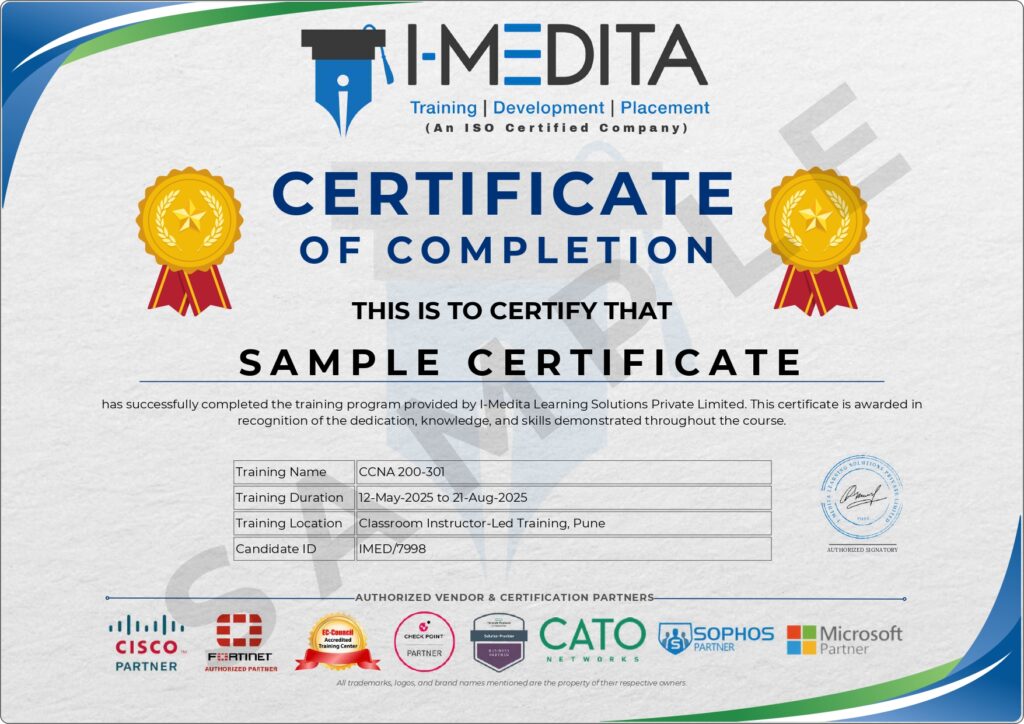
Issued upon successful completion of the Cisco SD-WAN Training program, the I-Medita Course Completion Certificate validates your expertise in SD-WAN architecture, controller and router deployment, policies, and enterprise security. It showcases your hands-on lab experience across vManage, vSmart, vBond, and vEdge/cEdge devices, along with real-world SD-WAN deployment projects, making it a valuable addition to your LinkedIn profile, resume, and professional portfolio. This certificate helps demonstrate your readiness for roles in Network Engineering, SD-WAN Operations, and Cloud Networking.
- Meet your mentors
Learn directly from CCIE-certified
experts
Learn from CCIE-certified experts with hands-on experience in enterprise networking, infrastructure deployment,
and network operations.
and network operations.

CCIE Sec # 37094, PCNSE, CCSE, MCSE
15+ Years of Experience
Baldev Singh

Triple CCIE EI, Security, SP # 46962
15+ Years of Experience
Saurabh Yadav

CCIE # 41212, AWS, PCNSE, CEH, CEI
12+ Years of Experience
Sudhanshu Bhat

CCIE EI # 60346, SDWAN, ENCOR
10+ Years of Experience
Surendra Singh
- Certifications
What Sets Us Apart From Other Cisco SD-WAN Institutes
A transparent head-to-head comparison so you can make an informed decision.
FEATURE
I-Medita
★ Top rated in India
Other institutes
Generic training
Trainer Expertise
CCIE-Certified Trainers
General Networking Trainers
Curriculum
Latest Cisco SD-WAN (300-415 ENSDWI)
Often outdated or incomplete
Hands-on Labs
51 Real Enterprise SD-WAN Labs
Limited practical exposure
Lab Environment
Live vManage, vSmart, vBond & vEdge/cEdge Setup
Simulation-only or shared access
Controller Deployment
Cloud & On-Premises Deployment Coverage
Cloud-only or theory-based
Security & QoS
Firewall, IPS, AMP, SIG & QoS Coverage
Limited security coverage
Routing & Policies
Real-world Enterprise Routing & Policy Projects
Basic assignments
Lab Support
Dedicated CCIE-Certified Lab Mentors
Limited assistance
Study Material
Digital Notes, Workbooks & Lab Guides
Notes/PDFs only
Placement Support
Resume, Mock Interviews & Job Assistance
Basic career guidance
Learning Access
Recorded Sessions + Learning Portal
Limited access
Demo Session
FREE Live Demo Class
Limited or unavailable
OVERALL SCORE
I-MEDITA
12 / 12
OTHERS
3 / 12
Train with CCIE-certified experts, build real SD-WAN deployment skills on live Cisco platforms, and prepare confidently for the ENSDWI certification and enterprise networking careers.
Enroll Now →
- Career Growth
Where Cisco SD-WAN Takes You Over the Next 6+ Years
Explore career opportunities in Enterprise Networking, SD-WAN Environments, and Network Automation after earning your Cisco SD-WAN (300-415 ENSDWI – Implementing Cisco Catalyst SD-WAN Solutions) certification.
0–1 YEAR
Junior Network Engineer
Support WAN infrastructure, assist with vManage monitoring, and gain hands-on exposure to SD-WAN fundamentals.
Next: Cisco SD-WAN (300-415 ENSDWI)
START
AVG. SALARY IN INDIA
₹4 – 7 LPA
Entry Level
AVG. SALARY IN INDIA
₹10 – 18 LPA
+150% Growth
1–3 YRS
1–3 YEARS
SD-WAN Engineer / Network Engineer
Deploy and configure vManage, vSmart, vBond, and vEdge/cEdge devices, and manage routing and policies.
Next: Cisco CCNP Enterprise
3–6 YEARS
Senior SD-WAN Engineer / Network Architect
Design multi-site SD-WAN architectures, lead security and QoS implementations, and manage enterprise WAN migrations.
Next: CCIE Enterprise Infrastructure / Cloud Networking Specializations
3–6 YRS
AVG. SALARY IN INDIA
₹20 – 35 LPA
+300% Growth
AVG. SALARY IN INDIA
₹25 – 45+ LPA
+400% Growth from Start
6+ YRS
6+ YEARS
Solutions Architect / SD-WAN Operations Manager
Lead enterprise SD-WAN transformation, multi-region network design, cloud networking strategy, and network security initiatives.
Next: Enterprise Architect / Cloud Network Architect / Network Security Lead
A Great place to learn
and grow
At I-Medita, we’re your launchpad for growth – a place where learning transforms into success.


- Upcoming Batches
Pick a batch that fits your
schedule
Multiple weekday, weekend and fast-track options — both online and offline
| Course | Start Date | Time (IST) | Mode | Type | Enrollment |
|---|---|---|---|---|---|
| Cisco SD-WAN | December 12, 2026 | 8:00 am - 10:00 am | Online / Offline | Upcoming | Enroll Now |
| Cisco SD-WAN | December 21, 2026 | 4:00 pm - 6:00 pm | Online / Offline | Upcoming | Enroll Now |
- Success Stories
What our placed alumni say
Real words from real students now working at India’s top networking companies
4.9
★★★★★
Based on 1897+ Google Reviews
Google Reviews
RS
Rahul Sharma
2 weeks ago
★★★★★
"Best CCNA training in Pune. CCIE certified trainers with real lab access. Got placed at Infosys within 6 weeks of completing the course!"
Posted on Google
PD
Priya Deshmukh
1 month ago
★★★★★
"24x7 lab access is the real game changer. I practiced on actual Cisco routers every day. Trainers are very patient and knowledgeable."
Posted on Google
AM
Aakash Mehta
3 weeks ago
★★★★★
"Placement team is excellent. Had 3 interviews before finishing the course. The mock interview sessions really helped me crack TCS."
Posted on Google
- FAQs
Everything You Wanted to Ask
Still have questions? Drop us a query below — we respond within 24 hours.
Time & Mode
How long does it take to learn Cisco SD-WAN?
The learning duration depends on your existing routing and WAN knowledge, as well as the course format you choose. Generally, our public batch classes run for around 1.5 to 2 months, providing sufficient time to understand the concepts and gain practical knowledge of Cisco SD-WAN.
Is online Cisco SD-WAN training effective for hands-on skills like this?
Live online training with real (not simulated-only) lab access can be effective for SD-WAN, since most day-to-day SD-WAN work is done through a centralized GUI and remote CLI access rather than physical hardware handling.
Can I attend classroom training instead of online?
Yes, absolutely! You can attend classroom training, and we offer both online and classroom training options. You can choose the format that best suits your learning preferences and schedule.
What batch options are available for Cisco SD-WAN training?
I-Medita offers different batch schedules based on course availability, including weekday, weekend, and fast-track batches. Contact our training team to check the latest available batch options and choose a schedule that best suits your requirements.
Training Specific
What is Cisco SD-WAN training?
Cisco SD-WAN training teaches you to design, deploy, secure, and operate Cisco’s Catalyst SD-WAN solution, and typically prepares you for the 300-415 ENSDWI exam.
Will I get hands-on experience with Cisco SD-WAN platforms?
Yes. The training includes practical learning and hands-on lab exercises designed to help you understand Cisco SD-WAN concepts, configurations, deployment scenarios, monitoring, and troubleshooting in a practical environment.
Is Cisco SD-WAN training suitable for beginners?
Yes. Cisco SD-WAN training can be suitable for learners who have a basic understanding of computer networking and want to develop specialized SD-WAN skills. The course introduces important concepts progressively and combines theoretical knowledge with practical learning.
What is the difference between Cisco SD-WAN and Cisco Catalyst SD-WAN?
They are the same underlying solution. “Cisco SD-WAN” was the earlier marketing name (built on the acquired Viptela technology); Cisco now markets it as “Cisco Catalyst SD-WAN,” and the exam title has been updated to match.
What is Viptela, and is it still relevant?
Viptela was the company Cisco acquired in 2017 whose technology became the foundation of Cisco’s SD-WAN product. The Viptela name is still used informally, and legacy component names (vManage, vSmart, vBond, vEdge) remain in daily use even under the new Catalyst SD-WAN branding.
What is ENSDWI?
ENSDWI is the exam code family name for “300-415 Implementing Cisco Catalyst SD-WAN Solutions,” a 90-minute Cisco exam that is a concentration exam for CCNP Enterprise and also earns the standalone Cisco Certified Specialist – Enterprise SD-WAN Implementation certification.
Is Cisco SD-WAN difficult to learn?
It is more approachable if you already understand routing and WAN fundamentals; the main learning curve is the shift from box-by-box CLI thinking to centralized, policy-driven configuration and the SD-WAN-specific control-plane concepts (OMP, TLOCs).
Does the course include hands-on labs?
Yes — the course is built around lab practice on the SD-WAN controller stack and WAN Edge devices, in addition to concept instruction.
What is the difference between SD-WAN and traditional WAN?
Traditional WAN relies on static, per-device configuration, typically over a single MPLS provider; SD-WAN centralizes policy and path selection across any mix of transport types and can provision new sites automatically.
What certification does this training prepare me for?
The 300-415 ENSDWI exam, which is a CCNP Enterprise concentration exam and also earns the Cisco Certified Specialist – Enterprise SD-WAN Implementation certification.
What is a TLOC?
A TLOC (Transport Locator) identifies a WAN Edge device’s connection point into a specific transport network and is a core addressing concept in SD-WAN policy and routing.
What's the difference between vEdge and cEdge devices?
vEdge devices run Viptela’s native OS; cEdge devices are Cisco IOS XE routers running SD-WAN software, giving customers a path to use familiar Cisco router platforms within the SD-WAN fabric.
Do I need to know Viptela specifically, or just Cisco SD-WAN?
You need to know the underlying architecture and concepts, which originated with Viptela; you do not need prior Viptela-specific product experience to start this course if you meet the routing/WAN prerequisites.
Is Cisco SD-WAN training useful if I already have CCNP Enterprise (Core only)?
Yes — ENSDWI is one of the concentration exams that combines with the ENCOR 350-401 core exam to complete CCNP Enterprise, so this course fills that concentration requirement.
What's the exam format for 300-415 ENSDWI?
A 90-minute proctored exam (Pearson VUE test center or online proctored), available in English and Japanese, covering six weighted domains.
How is I-Medita's course different from watching a self-paced video course?
A cohort-based course adds live doubt-clearing, structured lab sessions with an instructor, and a fixed exam-prep timeline, compared to self-paced video content alone.
What is Cloud OnRamp in Cisco SD-WAN?
Cloud OnRamp is a set of Cisco SD-WAN features for optimizing connectivity to SaaS applications, IaaS platforms, and colocation facilities directly from the SD-WAN fabric.
Prerequisites
Who should take Cisco SD-WAN training?
Network engineers, WAN administrators, system integrators, and security engineers with roughly 2–3 years of networking experience, especially those pursuing CCNP Enterprise or moving into SD-WAN-focused roles.
What are the prerequisites for this course?
A working knowledge of enterprise WAN design, routing protocol operation (OSPF/BGP/EIGRP), TCP/IP, and IPsec/TLS fundamentals.
Can working professionals join the Cisco SD-WAN course?
Yes. Working professionals can join Cisco SD-WAN training to develop SD-WAN, networking, automation, and troubleshooting skills. Batch timings may vary, so learners should check the latest schedule with I-Medita.
Placement
What career opportunities are available after learning SD-WAN?
Typical directions include SD-WAN engineer, WAN-focused network engineer, and network security engineer roles that touch SD-WAN security integration.
Is placement assistance available after completing Cisco SD-WAN training?
I-Medita may provide placement assistance and career guidance to eligible learners depending on the applicable training and placement program. Contact the institute for the latest placement assistance details and eligibility criteria.
What salary can Cisco SD-WAN professionals expect?
Salary depends on factors such as experience, networking skills, certifications, job role, location, technical expertise, and employer. Cisco SD-WAN professionals with strong networking, automation, troubleshooting, and certification skills may find opportunities across different experience levels.
Is placement guaranteed after Cisco SD-WAN training?
Training and placement assistance do not necessarily guarantee employment. Job selection depends on the learner’s skills, experience, interview performance, employer requirements, and other recruitment factors.
Payment
Is there an EMI or installment option for the training fee?
Yes. We offer 3-month and 6-month No-Cost EMI options on selected credit cards, making it easier to manage the training fee through flexible installments.
What is the fee for Cisco SD-WAN training?
The Cisco SD-WAN course fee can vary depending on the training mode, batch, duration, and current offers. Contact I-Medita for the latest course fee and enrollment details.
Is the Cisco SD-WAN training fee refundable?
Refund policies depend on the applicable course terms and conditions. Please confirm the current refund policy with I-Medita before enrollment.
Which payment methods are accepted?
I-Medita accepts multiple payment methods for your convenience, including UPI, credit/debit cards, bank transfers, cash, PayPal, and other available payment options. Contact our training team for the latest payment options and enrollment procedure.
Which payment methods are accepted?
Available payment methods may vary. Contact I-Medita for the currently supported payment options and enrollment procedure.
Certificate
Do I get a certificate after completing the course?
Yes. You will receive a course completion certificate after successfully completing the training.
Is the I-Medita certificate the same as a Cisco certification?
No. An I-Medita course completion certificate and a Cisco certification are different. Cisco certification is awarded by Cisco after meeting the applicable certification requirements and successfully completing the required examination.
How can I take the Cisco SD-WAN certification exam?
You can take the Cisco SD-WAN certification exam through Pearson VUE, either at an authorized Pearson VUE test center or through the available online proctored exam option. You can register for the exam through Cisco’s certification portal and select your preferred exam delivery method.
How long is the Cisco SD-WAN certification valid?
The Cisco SD-WAN certification is valid for 3 years from the date of certification. After 3 years, you can renew your certification by meeting Cisco’s current recertification requirements.
Need Assistance
How do I join a free demo session?
You can fill out the free demo form on this page to register for a session. Alternatively, you can contact our team at +91-8750004411 or email us at info@imedita.com.
Can I visit I-Medita before enrolling in the Cisco SD-WAN course?
If you prefer classroom training or want to discuss the course before enrolling, contact I-Medita to confirm the institute’s current visiting hours and availability.
Can someone help me choose the right networking course?
Yes. If you are unsure which networking course is suitable for your experience and career goals, you can contact I-Medita for course guidance and counseling.
Should I choose CCNP Enterprise or Cisco SD-WAN training first?
The right choice depends on your current networking knowledge and career goals. CCNP Enterprise provides broader enterprise networking knowledge, while Cisco SD-WAN training focuses more specifically on SD-WAN technologies and related skills. If you are unsure which path is right for you, contact I-Medita for guidance based on your current experience and career objectives.
- NEED FURTHER ASSISTANCE?
Get Personalized Guidance Before You Enroll
Get in touch with our team for personalized guidance on course content, batches, fees, certifications, and career opportunities.
- +91 8750004411
- info@imedita.com
- 3rd Floor, Aditi Samruddhi Building, Baner Road, Baner, Pune - 411045